Serial Ports on p5.Js
As I progressed with building my plotter, I wanted to move beyond manually entering coordinates and instead control it through an interactive interface. Andreas helped by providing a simple p5.js sketch that established serial communication with the Arduino IDE, allowing me to send data directly to the board. This eliminated the need for manual input, making the plotting process more seamless and efficient.
The sketch demonstrated the basics of serial communication by sending a "hello" message to the Arduino, which responded by turning on its built-in LED. Though simple, this was a key step in understanding how software can interact with hardware in real time. Building on this, I plan to refine the interface to accept coordinate inputs, enabling precise, interactive control over the plotter’s movements.
Broadcast Channels
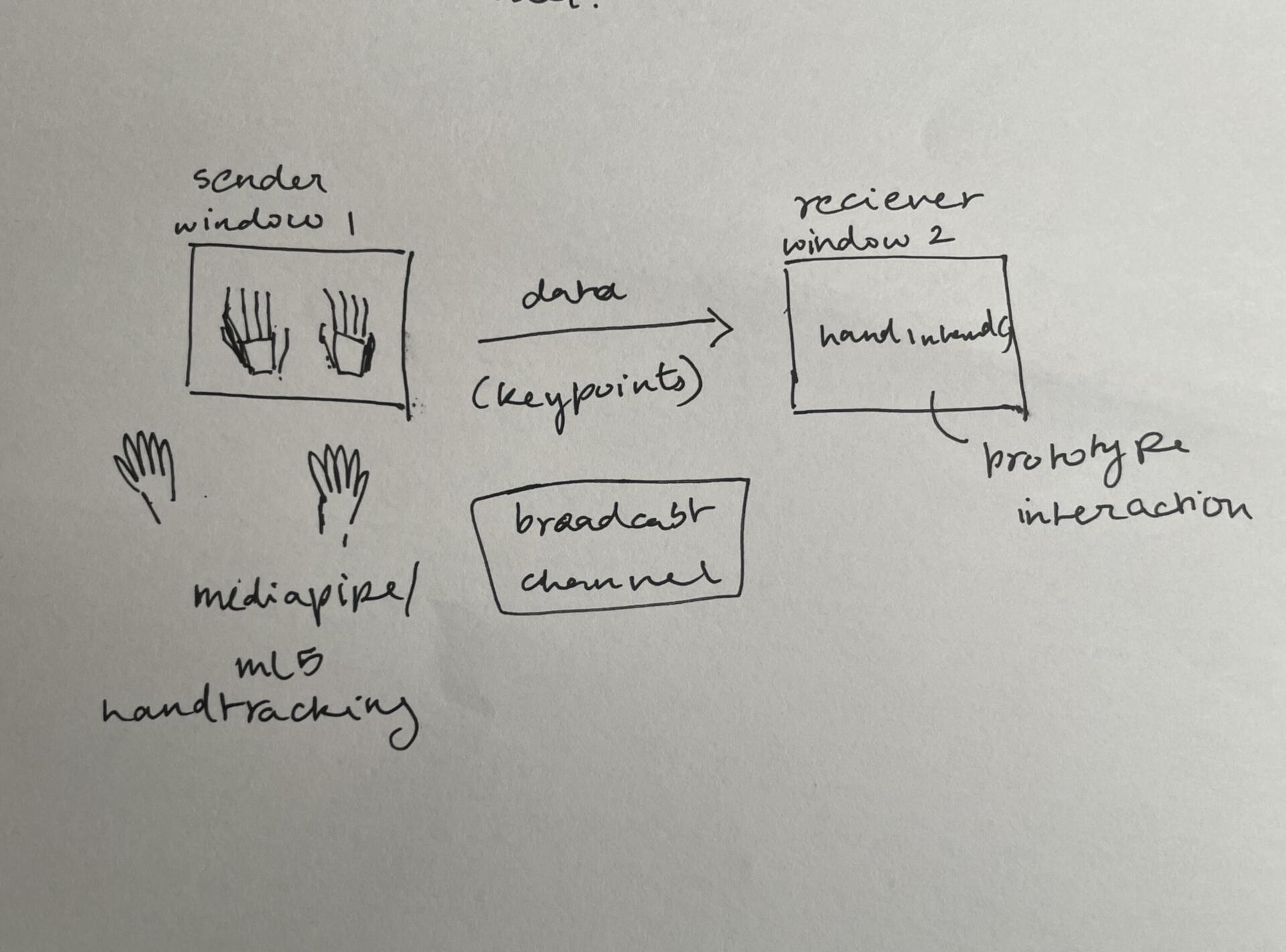
After revisiting my Semester 1 prototype, we noticed a significant delay in loading ml5.js, causing a long wait time before anything appeared on the screen. This slowdown made the interaction feel sluggish and debugging more difficult. To address this, Andreas suggested using a Broadcast Channel to separate the hand tracking process from the interactive sketch.
With this approach, ml5.js or MediaPipe would run in a background window, continuously tracking my hands, while the actual interactive sketch would operate in a separate window. The first window would handle all the processing and send hand keypoints only when the second window requested them, allowing the interactive sketch to remain lightweight and highly responsive. This setup significantly improved the response rate, making the application smoother, faster, and easier to debug. It was a simple yet powerful optimization that enhanced both performance and usability.