Sign Language
During my dissertation consultation last week, Andreas asked me to come up with a list of problems and solutions where I could explore how gestures as an interface might solve them. After thinking about it and doing some research, I came up with a few ideas: 1) using hand and face gestures to navigate the web for the elderly, 2) designing an instrument controlled by gestures with synchronized visual and audio outputs, and 3) creating games for deaf and hard of hearing children to learn sign language in a more engaging way. The purpose of this exercise was to push my project in a direction where it could be grounded with a clear application, as it had previously felt a bit unfocused. Having a defined goal, problem statement, and target audience would not only give the project a clear sense of purpose but would also help narrow down the design process to cater to specific needs.
When deciding which of these three ideas to choose, I considered several factors. I wanted to work on something that would keep me motivated throughout the semester, so it needed to be something I was genuinely excited about. I also wanted to find a way to connect my first semester’s work—more playful, fun, experimental prototypes—with this semester's more application-based focus. Ultimately, I chose the third idea: creating sign language learning games. This decision allowed me to incorporate insights from my previous experiments on engaging users with gestures, which would help make the games more interactive and effective. I felt this would not only keep things exciting but also tie in well with my earlier work, providing a sense of continuity and building on what I had already explored.
Intro to python
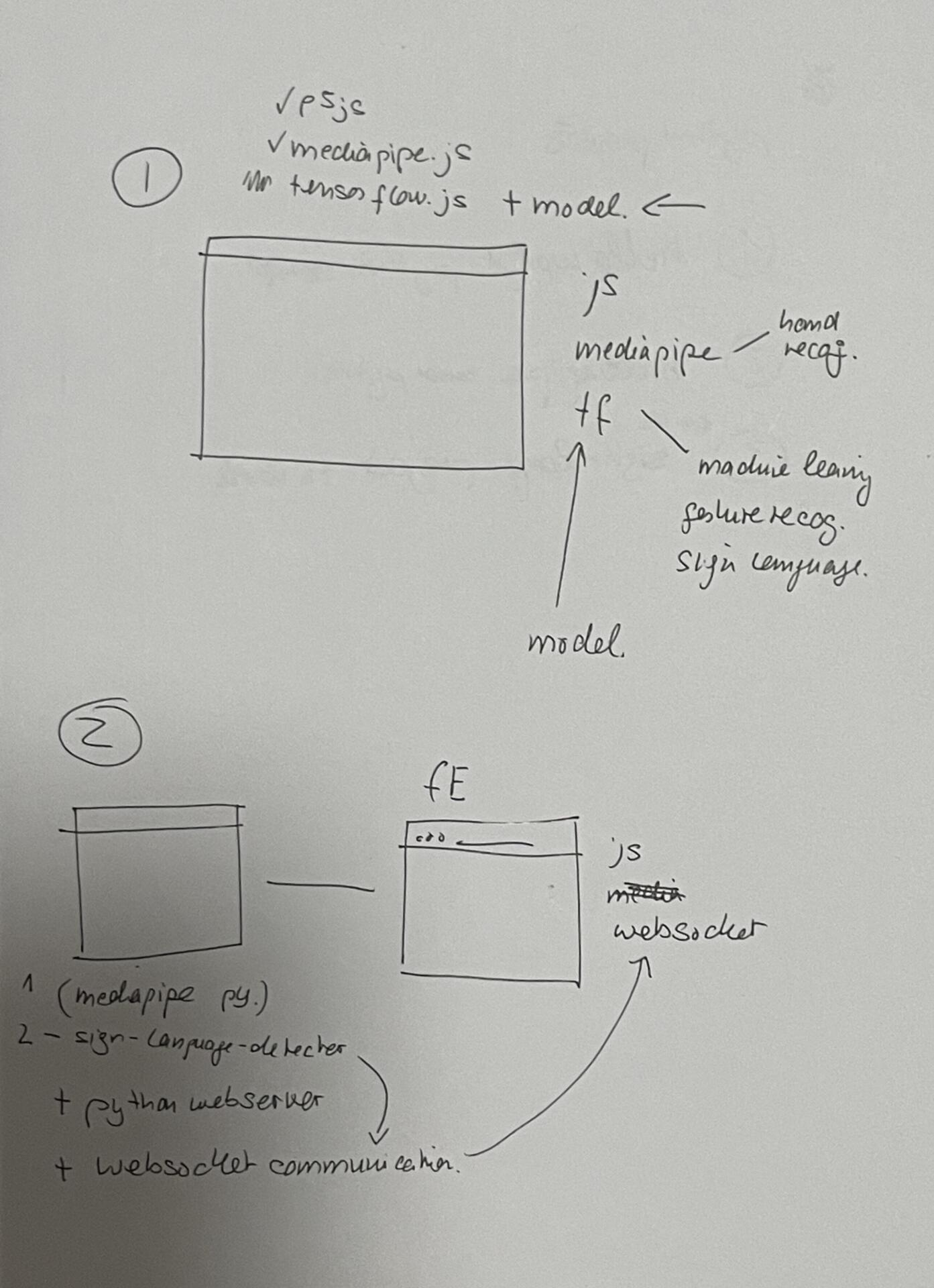
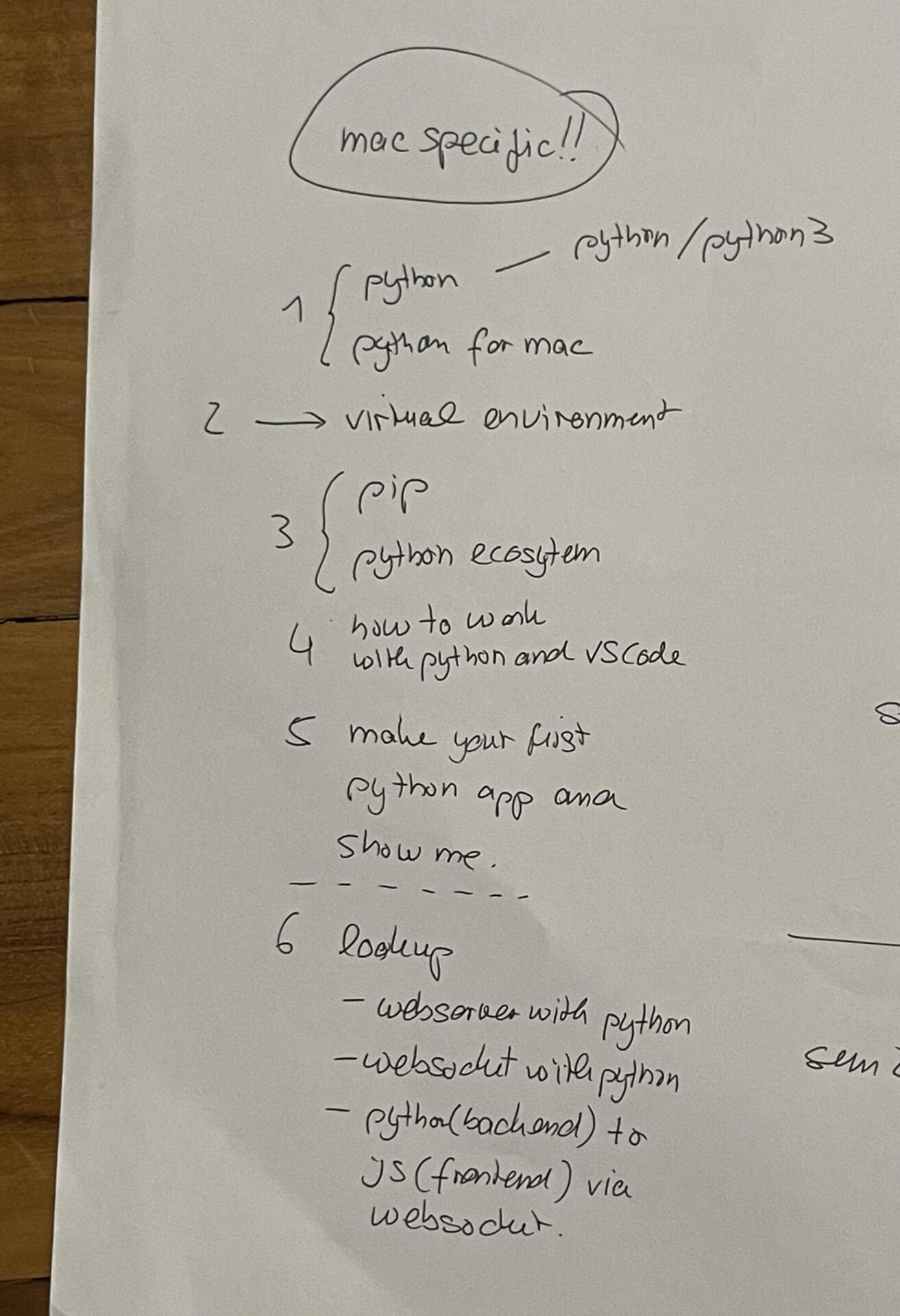
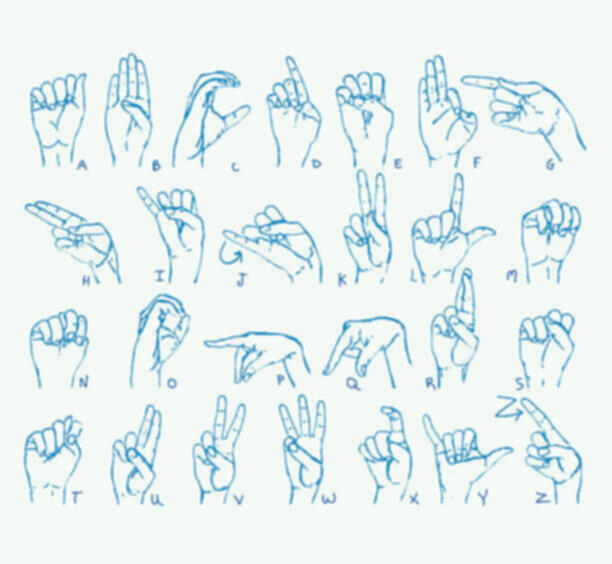
I discussed my idea with andreas and had already done some research about how i could get the games to work. I found a few projects on githib where people had trained models to recognise ASL signs. Most of these however were using python and mediapipe so I was looking at other options using tenserflow.js but was a bit stuck. I consulted andreas during lab consults on monday and explained the situation.Andreas then explained that i had 2 options to make this work: one would be to use python with mediapipe as the backend and create a webserver and websockets to send hand tracking data continuously to the web run application which i could use either p5js/react.js etc to build the ui. the other way would be to use tensorflow.js directly on the web which andreas said would definitely be more convenient but also much more complicated. He advised me to go with the first option. The issue was, i had never used python before. He told me a few things to read up on before my next consult and also gave me a list of things to do. He explained h
With this approach, ml5.js or MediaPipe would run in a background window, continuously tracking my hands, while the actual interactive sketch would operate in a separate window. The first window would handle all the processing and send hand keypoints only when the second window requested them, allowing the interactive sketch to remain lightweight and highly responsive. This setup significantly improved the response rate, making the application smoother, faster, and easier to debug. It was a simple yet powerful optimization that enhanced both performance and usability.