Python + Mediapipe
After building a basic WebSocket server that could broadcast messages or random numbers, the next challenge was making it send real data—specifically, hand coordinates from MediaPipe. I installed MediaPipe on Python and wrote a script that accessed my webcam, tracked hand landmarks in real time, and extracted the x, y coordinates of each keypoint. Instead of printing them in the terminal or storing them locally, I formatted the data as JSON and sent it through the WebSocket to the browser. This marked the first time I was sending live gesture data across a system I had built end to end, and it felt like a huge milestone. I could now track my hand movement and see the coordinates update live in the browser—no more placeholder numbers, no more test messages.
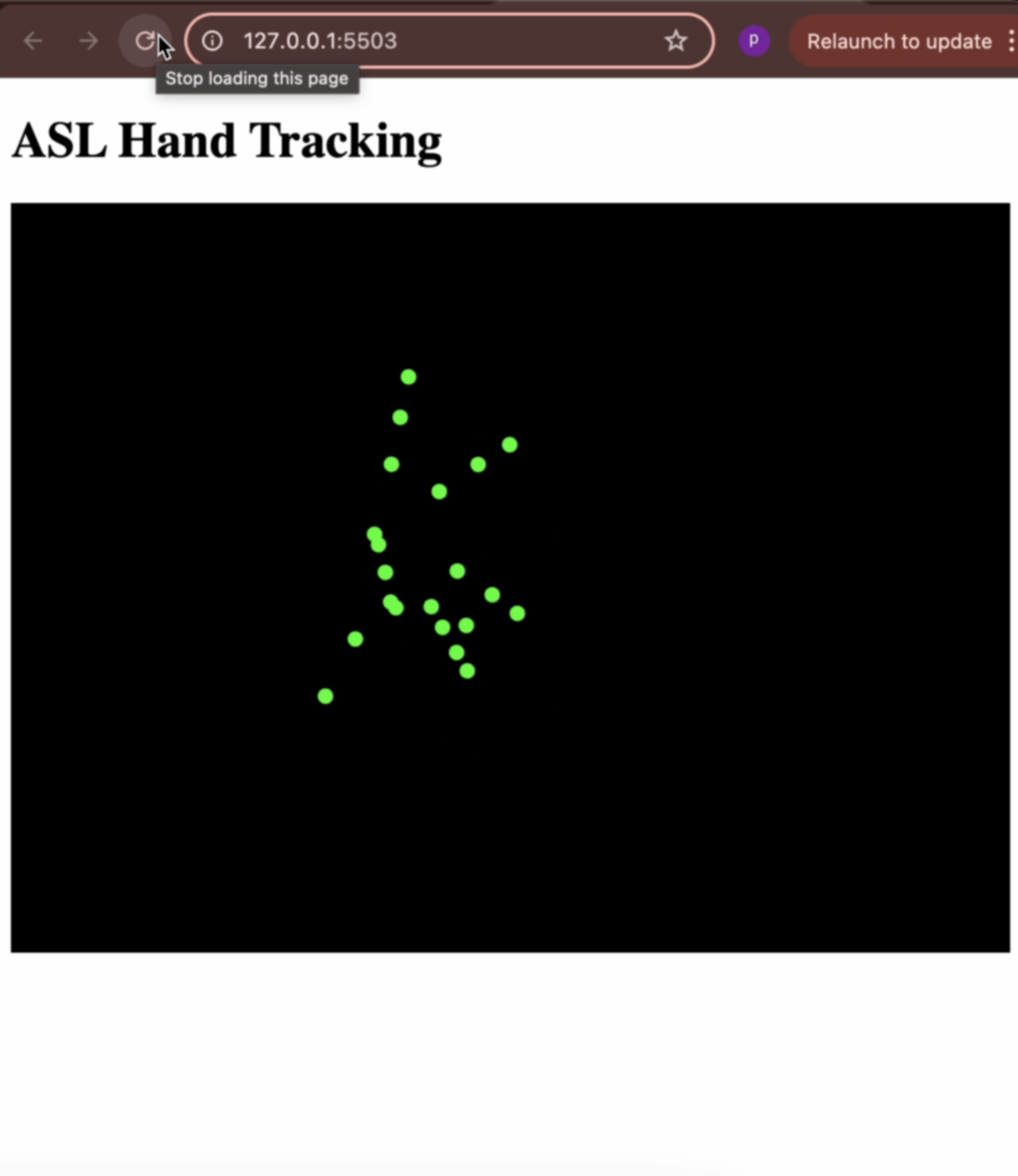
Once the backend was working, I shifted focus to the front-end interface. I used p5.js to receive the keypoint data from the WebSocket and draw it as green circles on the canvas. It was such a small visual gesture—21 dots appearing on screen wherever my hand moved—but something about it felt deeply rewarding. The fact that the circles moved when I moved my hand, and followed the same path as my physical gestures, turned the interface into a kind of mirror. I experimented with size, opacity, and layout to make it feel responsive but clean. This was the moment the system finally began to feel interactive, not just reactive.
ASL Recognition
With the coordinate system in place, I wanted to try something more advanced: actual ASL letter detection. I found a pretrained model on GitHub that used a CNN trained on images of hand signs representing the 26 letters of the ASL alphabet. I integrated the model into my Python script and modified the MediaPipe code to pass hand region images into the model in real time. This required resizing and preprocessing the frame before passing it through the network, but once it was set up, it could classify the live hand pose into a predicted letter. Every few milliseconds, the terminal would print out something like “Detected: L” or “Detected: S,” depending on my hand shape. It wasn’t perfect, but it worked surprisingly well with good lighting and hand alignment.
Seeing this prediction output, I couldn’t help but start thinking about how this could be used to trigger interactions on the front end. I tested sending the predicted letter through the WebSocket alongside the keypoint data, allowing the browser to update both the hand tracking visuals and a display of the detected sign. This brought the whole system one step closer to a gesture-controlled learning interface—exactly the kind of interaction I’d envisioned when I started this project. The fact that all these components—MediaPipe, the model, the server, and the browser—were working together felt like such a full-circle moment.